Introduction
Hey there! 👋
Remember Beach Life? The 2002 tropical island resort game by Deep Red Games / Eidos, sold as Virtual Resort: Spring Break in the UK and US, with the disco, the lifeguards and the guests doing whatever they pleased? If you try to start it on Windows 10 or 11 today, you will most likely get 1 frame per second, a crash on the Eidos intro movie or a black screen.
Good news: in 2026 you can play it without patches, without compatibility mode and without editing any files. For a few weeks now I’ve been building OpenBeach, an open-source engine that recreates Beach Life from scratch and reads the data of your own copy of the game. It runs in your browser, on Windows and Linux, and experimentally on Mac and Android. And it now supports mods too.
This guide is for players, not programmers. Step by step: what you need, how to play in the browser, how to install the game on your PC, how to bring back your old saves and how to add your first mod.
The short version: go to openbeach.app, drag the .iso of your Beach Life disc (or your installed game folder) onto the page, wait a few minutes and play. That’s it.
1. What you need
Just one thing: your own copy of Beach Life. OpenBeach is a free engine and contains no files of the original game, so you bring the data. Any of these works:
- a disc image (.iso),
- the CD in a drive (or a mounted image),
- the folder of a game you installed at some point.
Supported editions: the European CD, the French/German CD, the UK/US CD (Virtual Resort: Spring Break) and the later English CD. If your copy is one the importer doesn’t know, it politely refuses and changes nothing.
Got the disc but no .iso file? On a computer with a drive you can make one with a free tool: ImgBurn or AnyBurn on Windows, Disk Utility on a Mac or the dd command on Linux. Or simply install the game from the disc and point OpenBeach at the installation folder.
Which languages? That depends on your copy: English on the UK/US and later English CDs, and French, German, Italian, Polish and Spanish on the European and French/German CDs. You pick the language on the start screen.
2. The easiest way: play in your browser
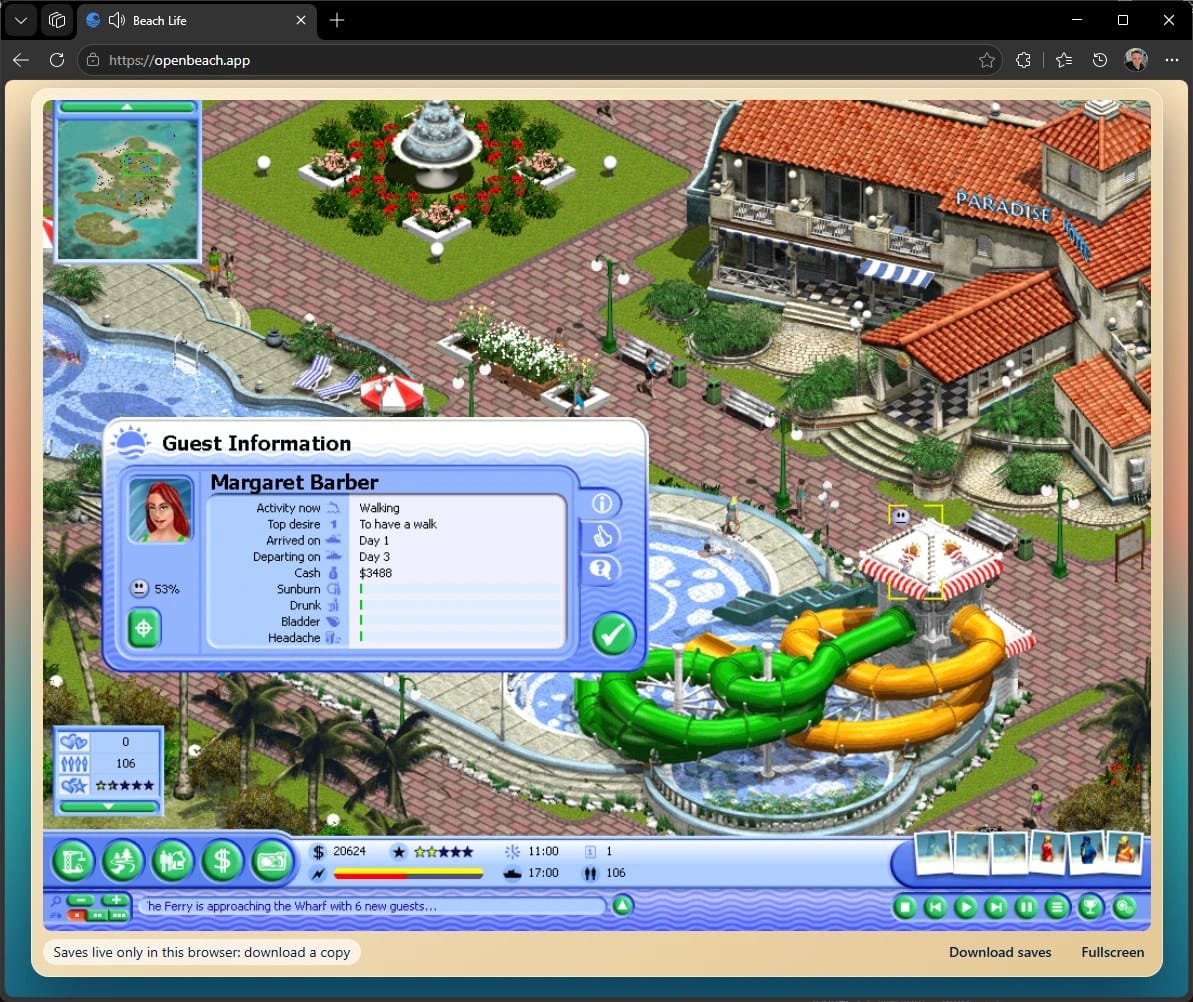
Nothing to install, works on Windows, Mac and Linux. Chrome and Edge are the best tested.
- Go to openbeach.app.
- Drag your .iso file, your game folder or your CD drive onto the page.
- Wait a few minutes. The browser converts the data once, entirely on your computer.
- Click and play. Next time the game starts right away.
Your copy is never uploaded anywhere. The site is just static files and all the work happens in your browser. The converted data goes into the page’s private browser storage (about 1 GB).
Important about saves: in the browser version, saves are kept only in that browser. If you clear the site’s data, they’re gone. So every now and then click “Download saves” below the game; on another computer you can load them back with “Import saves”.
3. An installed game on Windows 10/11
Prefer a regular game with a desktop icon? You can have that too, still without patches.
- Open the latest release on GitHub and download
openbeach-…-windows-x64-installer.exe. - Run the installer. If Windows says “Windows protected your PC”, click “More info” and then “Run anyway”. The files aren’t signed with a certificate, because this is a free hobby project.
- The installer asks for the .iso of your disc and the game language.
- Wait for the import (about 15 minutes, only once).
- Start OpenBeach from the desktop or the Start menu.
The installer doesn’t need administrator rights; it installs just for your account. Before the game starts you’ll see a small settings window: language, window or fullscreen, size, frame cap and the intro movie. If you don’t want to change anything, just click Play.
No .iso, only a game folder? Then grab the windows-x64.zip instead, unpack it somewhere like Documents\OpenBeach (not Program Files), drag your game folder onto Import.cmd, then start Play.cmd.
Your old saves from the original game
Still have your resorts from 20 years ago? The original game kept them in its SaveGames folder as save1.dat, save2.dat and so on. Close OpenBeach, copy them into game\userdata\SaveGames\ and start the game. OpenBeach converts them by itself and lists them under Load game. (The browser version doesn’t read .dat files.)
4. Linux, Mac and Android
Linux: download the linux-x86_64.tar.gz archive from GitHub, unpack it, run ./import.sh in the game folder with the path to your game or .iso, then ./play.sh. The import also adds OpenBeach to your applications menu.
Mac (experimental): Apple silicon Macs only (M1 or newer), macOS 13.3 or newer. Drag OpenBeach from the .dmg onto Applications. The app isn’t signed by Apple, so the first time you need to allow it: System Settings → Privacy & Security → “Open Anyway”. On the first start the game asks for your copy.
Android (experimental): import the game on your PC first, then run ExportForAndroid.cmd (or export-android.sh). That creates openbeach-data.zip. Copy it and the .apk to your phone, install the app and tap “Import data package (.zip)”. You can also simply open openbeach.app in your phone’s browser, but touch controls are still rough, so a computer is still the better choice.
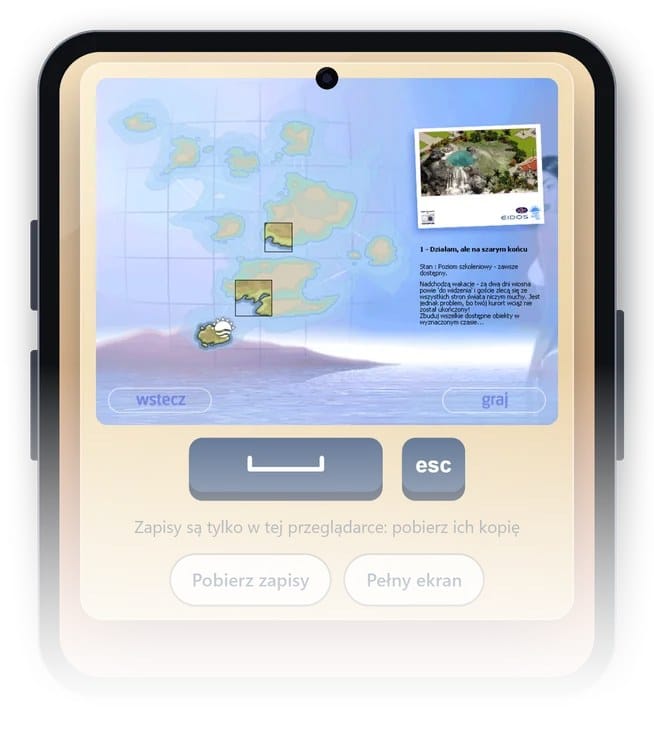
No disc, but curious how it plays? The downloadable builds include a small demo (Demo.cmd / demo.sh): the project’s own scenario that needs no data from the original game.
5. New: mods
This is something the original Beach Life never had. OpenBeach now supports mods: packages that change or add things in the game. A mod can change texts, menus and controls, show extra information on screen, or add new buildings, guests and scenario rules. The feature is still experimental, but it already works everywhere: in the browser, on desktop and on Android.
How to install a mod from a ZIP file
- In the main menu, click Mods.
- Choose Install from file and pick the mod’s .zip. On desktop and in the browser you can also just drop the ZIP onto the game while the Mods screen is open.
- The mod appears in the list. Click On to switch it on.
The official mod catalog
Instead of hunting for files by hand, you can add a catalog: a list of mods the game downloads and updates for you:
- On the Mods screen, click Catalogs, then Add catalog.
- Paste the official catalog address:
https://openbeach.app/mods/catalog.jsonand confirm. - Pick a mod from the list, click Install, then switch it on in the Mods screen.
To start with, the catalog has Frame Counter, an FPS counter you can pin to any corner of the screen. Modest, but it’s only the beginning. Every catalog is digitally signed, and every download is checked before it reaches the game.
A few things worth knowing:
- Presentation mods (how the game looks and reacts) take effect as soon as you switch them on.
- World mods, which change the rules or add buildings, apply after you restart the game.
- Use the ^ and v arrows to change the mod order. If two mods change the same thing, the one lower in the list wins.
- If something’s wrong with a mod, the Mods screen shows why in red (for example it needs a newer game version or another mod).
Don’t see the Mods button? Update OpenBeach to the latest version. And if you want to make your own mod, the repository has modding docs with a ready-made template.
6. Why the original Beach Life doesn’t work on Windows 11 (for the curious)
The game was made for Windows 98 and XP and relies on technology that modern systems no longer handle well. The usual symptoms:
- The game runs at 1 FPS. It draws with DirectDraw, which modern Windows emulates very poorly.
- It crashes on the intro movie (EidosMovie.mpg), because it plays it through old video components that Windows no longer ships.
- Virtual Resort: Spring Break doesn’t start either. It’s the same game under its UK/US name, so it has exactly the same problems.
Guides online suggest workarounds like DDrawCompat, dgVoodoo, Windows XP compatibility mode, running as administrator and hand-editing the game’s files. Sometimes it works, sometimes it doesn’t, and for a less technical player it’s a real pain. I wrote more about these problems on the Beach Life on Windows 11 page.
OpenBeach sidesteps all of it in a simple way: it never runs the old program at all. It takes only the data from your copy (graphics, sounds, maps, texts), converts it to modern formats and plays it on its own, brand-new engine. There’s nothing to patch.
7. FAQ
Does Beach Life work on Windows 11?
The original program works badly or not at all (1 FPS, crashes on the intro movie). Through OpenBeach the game runs normally with no patches, in your browser or as an installed game.
Is OpenBeach free?
Yes. It’s a free, open-source project under GPL-3.0, and the code is on GitHub.
Do I need the original disc?
You need your own copy of the game: the disc, a disc image (.iso) or an installed folder. OpenBeach doesn’t contain or distribute any files of the original game.
Is Virtual Resort: Spring Break the same game?
Yes, it’s Beach Life under the name used in the UK and US. OpenBeach supports that edition too.
Can I continue my old saves?
On Windows, Linux and Mac, yes. Just copy your save*.dat files into OpenBeach’s SaveGames folder. Details in section 3.
Does it work on a phone?
Experimentally, in the browser or as an Android app. Touch controls are new and still rough, so a desktop or laptop is the better choice for now.
Is it finished?
The campaign and the sandbox are playable, but OpenBeach is still in development and you may run into bugs. Please report them on GitHub or on Discord. It really helps!
Is this an official project?
No. OpenBeach is an unofficial fan project, not affiliated with the makers or publishers of Beach Life. Beach Life is a trademark of its rights holders.
Summary
If there’s an old Beach Life disc somewhere on your shelf, now is a great time to dust it off. The quickest way: openbeach.app, drop in your .iso, and a few minutes later you’re building bungalows and hiring lifeguards again. And if you’re curious how it works under the hood, read my earlier article: OpenBeach: Playing Beach Life (2002) in Your Browser in 5 Steps.
If you like the project, leave a ⭐ on GitHub and send the link to someone who played Beach Life years ago. 🙂
See you on the beach! 🏖️